Quote Image Designer
Turn any quote into eye-catching graphic art for sharing in social media, presentations, signage, and more.
The Quiz Generator tool is an excellent resource for educators and marketers who want to create engaging quizzes for educational purposes or social engagement. It uses AI to generate quiz questions on almost any subject you can imagine. Here’s how to use this tool effectively.
Start by entering a clear and concise subject description for your quiz. This tells the tool the overall topic your quiz will cover. For instance, if your quiz is about the solar system, you could input “General knowledge about the solar system.” The more specific your description, the more tailored the quiz questions will be.
In the additional instructions field, specify any particular requirements for your quiz. This could include the number of questions, difficulty level, and any content areas you want to focus on. For example, if you’re creating a quiz for 10th-grade students about the solar system, you could say, “Please include one question about each planet in the solar system. Write the quiz for a 10th-grade level.”
Choose the quiz type that best suits your needs. The “Multiple Choice” option is a popular choice for quizzes, as it’s straightforward for quiz-takers and easy to grade. However, depending on your goals, you might opt for “True/False,” “Short Answer,” or other types that the tool may offer.
Decide whether you want to include an answer key with your quiz. Select “Include answer key” if you want the correct answers to be provided automatically. This is useful for self-grading quizzes or if you want to provide immediate feedback to quiz-takers.
After filling out all the fields, click on “Generate a Quiz.” The tool will process your inputs and create a quiz tailored to your specifications. Review the quiz to ensure it meets your needs and make any necessary adjustments.
Remember that the effectiveness of a quiz doesn’t just rely on the tool, but also on your inputs. Make sure the instructions are specific, and the subject description accurately reflects the content you want to test. With the Quiz Generator, creating an engaging and educational quiz is just a few clicks away.
How did this tool work for you? How can we make it better? Please send us your feedback by using the form below and include as many details as you can.

Turn any quote into eye-catching graphic art for sharing in social media, presentations, signage, and more.

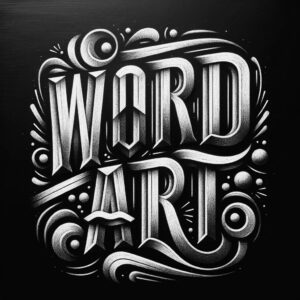
Generate word art from any text you enter in any style you choose or describe.

Design a unique emoji for any occasion by providing a simple description.

Generate a series of social media posts for your organization.

Generate a YouTube-style thumbnail for your videos. Enter the headline and describe an image to get a custom cover in seconds.

Generate custom textures and backgrounds to use in graphic design and 3D projects.

Generate unique cover art for a podcast with endless style variations.

Provides a list of potential interview questions based on the job description and offers sample answers.

Create custom event invitation flyer graphics instantly for bu

Provide a finished example of an ideal output and get a custom prompt or template that will reproduce the result.

Provides detailed etymological backgrounds and historical usage of any word you input, along with interesting trivia.

Create amazing collage art in seconds with a variety of presets and styles.

Generate a movie poster concept in any style you can imagine.

This AI image tool generates delightful coloring pages based on any description you provide.

An AI tool that designs logo concepts according to your specifications

Craft metal-charged lettering that hits like a power chord, giving your words the raw, gritty edge they deserve.